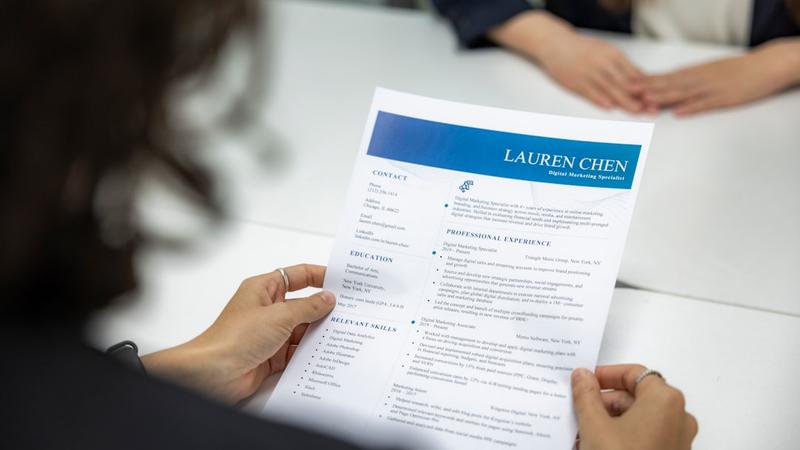
You’ve spent hours on your CV. The layout is spot on, the text is sharp, and yet you hear nothing back. No invitation, no response — nothing. There is a high chance your CV was never even seen by human eyes. Instead, an algorithm likely filtered it out long before it reached the recruiter.
That algorithm is called an Applicant Tracking System, or ATS. Companies use this software to automatically scan, rank and filter applications before a recruiter even takes a look. According to research by Jobscan, more than 98% of Fortune 500 companies use ATS software. However, an increasing number of SMEs and recruitment agencies are also switching to these types of systems.
The good news? You can design your CV in a way that it passes ATS systems and impresses the recruiter afterwards. In this article, you will learn exactly how that works.
What does ATS software actually do?
An ATS acts as a digital gatekeeper. The software analyses submitted CVs based on preset criteria: keywords, job titles, education, work experience and skills. CVs that match these criteria receive a high score and are forwarded to the recruiter. The rest disappear into the digital bin — sometimes without anyone ever having looked at them.
ATS systems are smart, but not perfect. They struggle with complex formatting, images, tables and unusual fonts. A CV that looks visually stunning might be completely unreadable to an ATS.
Why keywords are so important
Keywords are the heart of every ATS system. The software compares your CV with the job description and looks for matches. The more relevant keywords your CV contains, the higher you score.
This doesn't mean you should mindlessly copy the job description. It’s about the clever use of language. Read the vacancy carefully and identify the core keywords: specific skills, software names, certifications and job titles. Then, incorporate these naturally into your CV.
Practical tips for keyword optimisation:
-
Use the exact same terms as in the vacancy. Does the job description say “project management”? Then use “project management”, not “project leadership”.
-
Incorporate keywords into multiple sections: your profile, work experience and skills.
-
Mention relevant tools and software by name, such as “Microsoft Excel”, “Salesforce” or “Adobe Photoshop”.
-
Use both abbreviations and full versions, for example: “SEO (Search Engine Optimisation)”.
Formatting: simple is better
ATS software reads your CV from top to bottom, just like a text file. Anything that makes readability difficult for a computer reduces your chances. Save the creative design for later — the recruiter will still be able to see it.
Things you should avoid:
-
Tables and multiple columns (ATS often reads these out of order)
-
Images, icons and infographics
-
Headers and footers for important information
-
Unusual fonts
-
Text boxes and frames
What does work:
-
Clear headings like “Work Experience”, “Education” and “Skills”
-
A simple, linear CV format
-
Standard fonts such as Arial, Calibri or Times New Roman
-
PDF format (unless the vacancy explicitly requests Word)
-
Logical order: most recent experience at the top
A good starting point is using specially designed ATS CV templates, which take the requirements of automatic scanning systems into account without sacrificing appearance.
Structure your CV for both human and digital readers
A CV that passes an ATS must then also convince a recruiter. These two objectives don't have to conflict, as long as you build your CV logically and clearly.
Personal profile
Start with a short summary of who you are and what you have to offer. Incorporate your most important keywords here, but write it in a way that is pleasant for a human to read.
Work experience
Describe your roles using concrete results and action verbs. Think of: “increased”, “implemented”, “optimised”. For each role, mention: the company name, your job title, the period and your key achievements.
Education
List your qualifications in reverse chronological order. Mention the name of the institution, your degree or course, your specialisation (if applicable) and the year of graduation.
Skills
Create a separate section for skills. This helps ATS systems to quickly identify relevant competencies. Split technical skills and soft skills where relevant.
Tailor your CV to every vacancy
A generic CV is least effective with ATS systems. Every system compares your CV with one specific vacancy — and the better they align, the greater your chances. That sounds time-consuming, but it doesn't have to be. Create one strong master CV and, for each application, tailor the personal profile, skills section, and the first bullet points of your work experience. This allows you to highlight the most relevant keywords each time without having to rewrite your entire CV.
Want to know how well your CV scores with an ATS? Tools like Jobscan allow you to compare your CV with a job description and provide a concrete match score — useful if you want to see where there is still room for improvement.
Common mistakes that damage your chances
Even experienced candidates make mistakes that pull down their ATS score. These are the most common:
-
Using creative job titles: Write your job title as it is commonly known in the industry, not the internal terminology used by your previous employer.
-
Abbreviations without explanation: Always write out abbreviations in full upon first use.
-
Missing contact details: Ensure your name, email address, and phone number are clearly at the top — outside of tables or text boxes.
-
Too little white space: ATS systems and recruiters struggle with dense blocks of text. Use white space strategically.
-
Irrelevant information: Keep your CV focused on the role. Lists of hobbies and irrelevant part-time jobs from ten years ago add little value.
How to test your own CV
Before you hit send, it is worth scanning your CV yourself for ATS compatibility. A simple method: copy the text of your CV into Notepad or another plain text editor without formatting. If the information remains logical and readable, your CV is most likely easily readable for an ATS.
Additionally, check whether all headings are consistent, if keywords from the job description appear in your text, and if your CV covers a maximum of two A4 pages.
Take the first step towards more interviews
Your CV is your first impression — and at most companies, an algorithm determines whether that impression even reaches a recruiter. By strategically designing your CV for ATS software, you increase the chances of your application making it to the next round.
Start with the basics: a clear structure, the right keywords, and a layout that is easy for both software and humans to read. Adapt your CV for each vacancy, test it for readability, and choose an ATS-proof template. Small adjustments can make a big difference in the number of invitations you receive.